From Surf Wiki (app.surf) — the open knowledge base
Text box
GUI elements for entering or displaying text
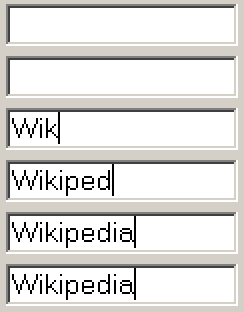
GUI elements for entering or displaying text
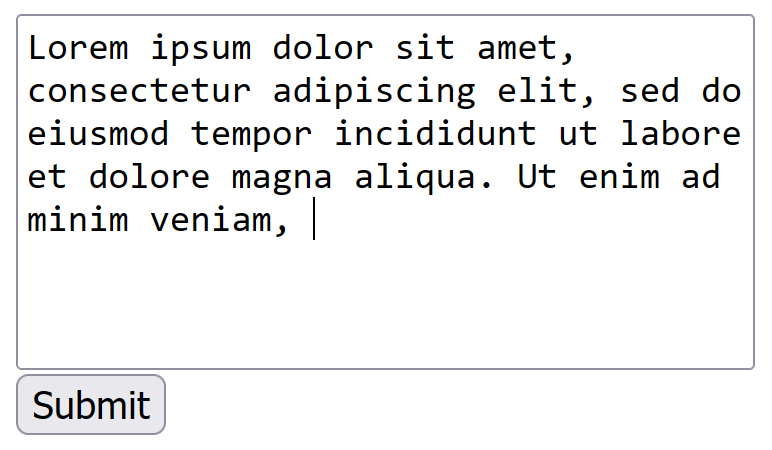
A text box, also called an input box, text field or text entry box, is a control element of a graphical user interface (GUI) that allows users to enter text for processing by a program.
A typical text box is a rectangle, possibly with a border that separates the text box from the rest of the interface. Text boxes may contain horizontal and vertical scrollbars. Text boxes usually display a text cursor (commonly a blinking vertical line), indicating the current region of text being edited. It is common for the mouse cursor to change its shape when it hovers over a text box.
Standard functionality
Although most operating systems and GUI frameworks provide text box controls with extensive built-in functionality, some applications, such as video games, may implement simplified versions.
Enter text
When keys are pressed on a keyboard, the text is added at the caret location. Some very simple text boxes may not show a caret, which would suggest that new characters typed in will appear at the end of the current text.
Navigate and manipulate text
Using a mouse:
- Change the caret position by clicking the desired point with a mouse cursor;
- Select a portion of text by pressing the main mouse button while pointing the cursor at one end of the desired part of the text and dragging the cursor to the other end while holding the button pressed.
Using the keyboard:
- Pressing arrow keys changes the caret position by one character or line
- Pressing / keys (Microsoft's Windows OS) or -left arrow / Command-right arrow (Apple's Mac OS) moves the caret to the beginning / end of the line
- Pressing / moves the caret a page (the number of lines that can be displayed in the text box at a time) backward / forward (Windows) or moves the scrollbar thumb a page backward / forward without changing the caret position (Mac OS)
- Holding the key (Windows) while pressing arrow keys or / keys makes the caret move at larger steps, e.g. words, paragraphs or beginning / end of document
- Holding the (Mac OS) while pressing arrows moves the caret whole words or paragraphs
- Holding the while pressing up or down arrows (Mac OS) or holding the key while pressing / (Windows) moves the caret to the beginning or end of the document
- Holding the while changing the caret position with a mouse or keyboard selects the text between the caret position from when Shift was first pressed and its current position
- Pressing (Windows) selects all text
Edit text
Work in insert or overwrite mode, typically switched using . In insert mode if there is a character to the right of the caret, the new character will be inserted before it, while in overwrite mode typing a new character will replace (overwrite) the character to the right of the caret position.
Typing in text while some part of the text already entered is selected will replace the selected text.
/ keys remove one character right / left of current caret position, while pressing them together with the or removes one word.
Edit the text using standard clipboard operations.
Edits can be undone and redone with / (Windows) or / (Mac OS)
Alternative meanings
The term "text box" is also used in typography, desktop publishing and print design to describe a visually distinct container for text. These text boxes are typically bordered or shaded regions used to highlight quotations, sidebars or supplementary information. They are common in magazines, newspapers, textbooks and technical documentation. This usage predates digital interfaces and remains common in print and layout design, although it may also be used in website design.
In this context, a text box may:
- Be floated to the side of the main content, with surrounding text wrapping around it.
- Include a border, background color or other visual styling.
- Serve as a callout, pull quote or sidebar.
References and notes
References
This article was imported from Wikipedia and is available under the Creative Commons Attribution-ShareAlike 4.0 License. Content has been adapted to SurfDoc format. Original contributors can be found on the article history page.
Ask Mako anything about Text box — get instant answers, deeper analysis, and related topics.
Research with MakoFree with your Surf account
Create a free account to save articles, ask Mako questions, and organize your research.
Sign up freeThis content may have been generated or modified by AI. CloudSurf Software LLC is not responsible for the accuracy, completeness, or reliability of AI-generated content. Always verify important information from primary sources.
Report